Posts

RadioDJ Sounds Wonderful (Professional Audio Output)

Image
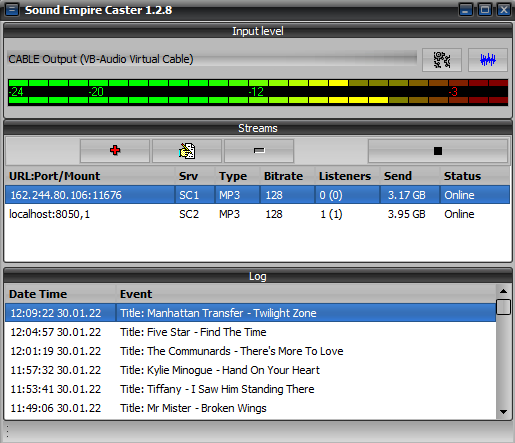
I'm testing streaming codecs in Sound Empire Caster and it doesn't matter what bitrate I stream at the audio from RadioDJ sounds Wonderful. I've ran 3 different tests on an Icecast server. Streaming out in 64K OGG/48K AAC+/64K OPUS and all the streams sounded amazing. Sadly the OPUS stream encoded by MB Recaster kept cutting out on song change which was a bit annoying. The Audio quality from RadioDJ when you have properly ripped files can be amazing. I couldn't get this sort of audio quality from other radio playout software I wonder why. I found software such as Zararadio made everything sound awful. The AGC & EQ in SAM Broadcaster makes everything sound distorted. You cannot get a professional sound from some software that often costs $$$ I'm so glad I discovered Radio DJ when I did in 2010 I found it had great programmed audio processing from the get go. ...
Take Your Time And Have A Bit Of Patience! (RadioDJ)

Image
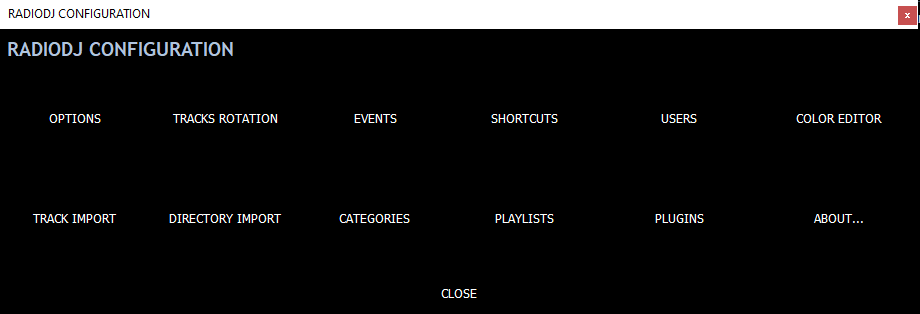
Every now and then we get new users registering on the RadioDJ forums who start kicking off Because the software isn't doing what they want it to do within 5 minutes of installing it. Woah! Back up and take stock for a couple of minutes! It takes time and PATIENCE to get to grips with what RadioDJ is capable of. People had tried helping a recent user who threw his toys out of the pram on the forums about track rotations. When I first installed RadioDJ way back in 2010 it took me a while to figure out the optimal rotation setttings. When you program a rotation you need to make sure there are enough songs in the category and subcategory for the rotation to pick items from In newer versions of RadioDJ if you click on EDIT at the right hand side of your rotation entry it tells you how many files you have available for that rotation to pick from. Its not exactly rock science...

Why Is It Wrong to Have An Opinion? (Internet Radio Forums)

Image
I keep getting hassle for my views about RadioDJ FREE radio playout software. When will you start to giving independent advice instead of giving the same old opinion everytime someone asks a question about a playout system I'm getting really really TIRED of people spouting BILE at me on forums about my meerest mention of RadioDJ. I suggest RadioDJ as an alternative to other (Badly Coded) automation solutions and there are lots of awful playout solutions. Its NOT my fault paid for radio playout solutions such as SAM Broadcaster Pro don't work as advertised IS IT? NO the fault lies with the often LAZY software developers programming badly coded radio playout software solutions I've paid for software & then found it didn't work and then I've ran into a brick wall when trying to get a refund. We DO NOT offer refunds because of our 14-day free trial version, which allows users to try the product for free and make sure they are sa...

Why Do I Only Promote FREE Radio Software?

Image
Q: Why do I only promote free radio software from this blog site? In my own experience when I've paid $$$ for software in the past I've ran into issues that stopped me in my tracks. Users like me paid hundreds $$$ for radio automation software & found the support sucked for those pieces of software Some software companies seem to plod on year after year not updating their software all the while still taking paying customers money. Spacial Audio are the biggest Cowboys when it comes to customer support You only have to search this blog to find that one out Lack of customer support is one huge reason I hate paying for software. Another is when Vendors/Authors of software suddenly disappear off the face of the Earth and then their software becomes obsolete. I find some FREE software can be absolutley Amazing sometimes. FREE SOFTWARE is my favourite sort of software because it comes to you...

Why Can't I Use DSP Plugins With RadioDJ 2.x.x.x

Image
Regular users of RadioDJ will know that version 1.8.2 used to support plugins made by other users. One of those Plugins written by SnowHow supported the use of certain DSP plugins within RadioDJ. In RadioDJ version 2.x.x the plugin structure changed and OLD plugins weren't supported as they had been in version 1.8.2 HOWEVER If you really need a DSP (digital signal processor) plugin to enhance your sound you can do it from within Sound Empire Caster Sound Empire Caster supports the use of DSP plugins. You need to place the .dll and .xml files into the main SEC program folder and you should then have access to that DSP after a restart Highlight The DSP you want to use and use the arrows to move it into the right side panel. TIP: Click SAVE so it remembers the plugin all the time. Sound Empire Caster shouldn't have issues with the DSP of Stereotool I've only heard GOOD THINGS from users about Sound Empire Caster. ...

The Most Perfect Database Software?

Image
2024 will mark 10 years of me being a MariaDB user. I've used it alongside a lot of versions of RadioDJ. I'd seen someone mention in 2014 that they had found MariaDB so I went and installed it. Maria DB hasn't let me down. I can't even remember the last time I had to fire up HeidiSQL to do maintenance to my databases. MariaDB is being used by some large corporations across the world! I had MariaDB powering my old website before I had to cancel the VPS due to technical issues beyond my control. On my VPS servers MariaDB performed amazingly well compared to MySQL Community Server from Oracle. The author of RadioDJ did a few tests and it appears that MariaDB processes SQL queries fast than Oracle MySQL. I had nothing but headaches with Oracle MySQL community server I only ever do a bit of basic housework with MariaDB. I optimise my RadioDJ database every day by an event. Its been a LONG time ...

Budding InternetRadio DJ?

Image
Q: Are you a Budding Internet Radio DJ? Starting out doing Internetradio as a hobby can seem daunting at first but when you get used to streaming it can be a great hobby to have. If you're a Budding Radio DJ and are looking to get started then may I suggest a few pieces of software to use that won't cost you a penny. In order to start streaming on the internet you will need the following... Broadband connection with minimum of 2MB per second upload speed 1 Music collection with at least 2000 tracks, make sure you use properly ripped audio files at 320Kbps (CBR) mp3 or FLAC A decent computer with a decent processor and at least 2GB RAM. Plus an operating system LATER than Windows Vista. A decent radio automation program. We recommend RadioDJ FREE radio playout software for this. 1 You may encounter issues if other members of your household are streaming TV/Movies at the same time. Reasons to Use RadioDJ: ...

RadioDJ Stream Title Settings

Image
In RadioDJ free radio automation software you have the ability to control what metadata the listener sees when a song, request or jingle plays. We regularly get people asking how they can hide the artist & title of a Jingle or track form showing in the stream. Look under Options>Options>Stream Titles: This is where the magic happens. You have various track types in RadioDJ Music = 0 Jingle = 1 Sweeper = 2 Voiceover = 3 Commercial = 4 InternetStream = 5 Other = 6 VDF = 7 Podcast = 8 Request = 9 News = 10 PlaylistEvent = 11 FileByDate = 12 NewestFromFolder = 13 Teaser = 14 You need to select the track type from stream titles and configure the information you want to display on your stream(s) These are some of the Variables you can find the full list of stream variables inside the Docs folder in RadioDJv2 by opening a .pdf file $track_id$ = Track's Database ID $artist$ = Track Artist $title$ = Track Title $album$ = Track Album $year$ = R...

Totally Free Radio DJ Music Automation Software

Image
This was a search that showed up in Google Analytics on my old WP website. Totally Free Radio DJ Music Automation Software So you want some totally FREE radio playout software? Well step this way The main piece of radio automation software I recommend is RadioDJ RadioDJ has been developed since 2009 and has been TOTALLY FREE since it was first released. Radio DJ is free is because the author wanted to help broadcasters get their station on air without spending $$$ on software. RadioDJ has since gone on to be used by professional (AM/FM) radio stations who use it for their stations music output. Despite what other radio automation software developers might say RadioDJ doesn't need marketing gimmicks the software speaks for itself One user reported an amazing uptime with RadioDJ they had v1.8.2 running for 4 years on a laptop. Radio DJ is easy enough to setup & Ideally you should be up and running in under an hour. ...

I Don't Have To Lift A Finger (RadioDJ FREE Radio Playout)

Image
One of the GREAT things about RadioDJ is once you have your automation setup you may just find you don't have to touch things. I can switch RadioDJ onto Auto DJ press play and rotations and events do the rest. You can have Jingles & Playlists loading by event, You can also load different rotations at different times of day also via an event. RadioDJ will make your radio station more streamlined and because its better programmed you won't need to keep an eye on things. One user had an uptime of 4 years with RadioDJ 1.8.2 Sadly I could never get this sort of stabilty from other well known radio automation software. I was lucky to get a few hours uptime let alone days with other radio playout software. One of the pieces of software would crash and take the database with it. Some of the credit needs to go to MariaDB without it I wouldn't have a stable database. ...

MySQL 8 Problems (RadioDJ)

Image
Over the past year or so I've seen LOTS of people having issues with MySQL 8 and RadioDJ. Which has now lead Marius to post about using RadioDJ with MySQL 8 Marius carried out out some tests and its quite clear that MySQL 8 takes longer to process queries compared to MariaDB. Query Duration MySQL8: 1.7712764 seconds Query Duration MariaDB: 0.0081946 seconds As you can see the difference is huge on MySQL8 it takes almost 2 seconds just to run a single query. I found MySQL to be bloated when it came to installing it to test it There were far too many options to setup MySQL8 Whereas MariaDB is simpler to install and not so bloated I've used MariaDB since June 2014 and it performs 100% better than Oracle MySQL ever did. I've NOT had to rebuild my RadioDJ database since 2014. I take daily backups so I don't lose my hard work. Its rare for MariaDB databases to crash (IF EVER) I've not had to run a repair in a w...

How To: Connect RadioDJ to Shoutcast or Icecast

Image
To connect RadioDJ to Shoutcast or Icecast you need a stand alone encoder. The MYTH that a stand alone encoder is harder to use is put out by developers who include built in encoders in their software 1) Install the standalone encoder of your choice. 2) Configure the stand alone encoder software to take the audio from your soundcard. TIP: If you don't have a physical sound card then you can use Virtual Audio Cables 3) Configure Your encoder(s) to connect to Shoutcast or Icecast. 4) Connect to the server and et voila you should have audio streaming from RadioDJ to your audio server. 5) RadioDJ outputs now playing info to a text file (e.g: C:\NowPlaying.txt) you can connect most stand alone encoders to the text file. Its really NOT difficult to stream on the Internet with modern technology Free Shoutcast and Icecast services can be found by searching the Internet. ...

You Have A Choice Of Radio Automation Software

Image
When it comes to Internet radio automation software you have a choice... Do you pay out hundreds of $$$ for radio automation software or do you download a program for free? Personally I'd rather use something for FREE leaves more money to spend on studio equipment and streaming. I know from using various Forums over the years that hobby broadcasters don't always have $$$ to spend on stuff for their station. Everytime I test paid automation solutions I come to the conclusion that they don't perform that well when up against RadioDJ. DEMO versions of some radio software offerings have usage restrictions or time limits With those restrictions you can't test the software to its FULL POTENTIAL RadioDJ doesn't have trial periods, registration keys or online activations I'd rather help save someone from the hell that is a paid for product with very little in the way of support The case in point being SAM Broadcaster ...

You Don't Have To Be A Radio DJ To Use RadioDJ

Image
As you probably know by now I swear by RadioDJ free radio automation software. While RadioDJ is primarily built for use in radio studio's. You DON'T have to be a Radio DJ in order to use the program. I currently use Radio DJ for automating my large music collection around my flat via Bluetooth. If you've converted your CD's to a digital and you're looking for a program that is great at automating your music collection then RadioDJ is the program you need RadioDJ supports a lot of audio codecs right out of the box. Supported Audio Codecs: *.mp3;*.ogg;*.wav;*.mp2;*.mp1;*.aiff;*.m2a;*.mpa;*.m1a;*.mpg;*.mpeg;*.bwf;*.mus;*.wma;*.wmv;*.aac;*.adts;*.mp4;*.m4a;*.m4b;*.m4p;*.mod;*.mo3;*.s3m;*.xm;*.it;*.mtm;*.umx;*.mdz;*.s3z;*.itz;*.xmz;*.flac;*.midi;*.rmi;*.kar;*.opus;*.wv;*.ape;*.apl;*.mpc;*.mpp;*.mp+;*.spx;*.tta; More file types can be added from the BASS Library https://un4seen.com/ Reasons to Use RadioDJ: Once...

Automatically Backup Your RadioDJ Database

Image
Did you Know: You can backup the database in RadioDJ free radio automation software? Its really easy to back up the database just set the folder you want the backups to go into. Then set an hour for it to take the backup at (24 Hour Clock) Leave the database setup tool minimised in the system tray. (Tick the box that says "Close to Tray") Thats literally all there is to backing the database up in RadioDJ. Other well known radio playout software doesn't come with a database backup feature Which isn't great when it comes to restoring the SQL after a database crash. YOU CAN NEVER HAVE TOO MANY DATABASE BACKUPS! Its probably best IF YOU Backup your database onto an external Cloud server such as Google Drive. I have Google Drive monitoring my SQL backup folder as soon as I take a backup it goes up to the fluffy cloud.

Importing Tracks Into RadioDJ (Installing Tracks In RadioDJ)

Image
So you've successfully installed your RadioDJ database Now you'll be wanting to import/install music tracks into the program. In RadioDJ you do this from the options menu or tracks manager Important: If you get a message saying Import Failed then you need to select/set your soundcard from the Options Menu Restart RadioDJ for any soundcard changes to take effect You have 2 options when it comes to adding music to RadioDJ Directory Import & Track Import TIP: Remember to sort your subcategories/categories out in category manager before you import a folder. You do that from the options>categories You select the subcategory/category you wanted the songs in and then click Import. Directory Import imports an entire music folder. You do that by clicking on the folder icon at the top right hand of the box and navigate to the folder you want to import. It may take a while to import large folders of music into ...

Non-Profit Community Internet Radio Station?

Image
Q: Do you run a community radio station online without making money from it? Are you a not for profit or community lead Internet radio station? Community / not for profit radio stations: are a type of station which does not have any adverts are funded by investors are run by volunteers are influenced, owned by and operated in the community they serve We believe that radio software shouldn't have to cost you hundreds of $$$ We can't stress highly enough just how great at radio automation RadioDJ Free radio automation software is. Radio DJ truly outperforms paid for radio automation software solutions, try it now to find out for yourself how reliable it is! Reasons to Use RadioDJ: Once installed it's stable and works for days/weeks without needing to keep an eye on it Great Music library support add as many categories & subcategories you require RadioDJ ...

Transferring RadioDJ To A New Computer

Image
A couple of users of RadioDJ asked how they should go about transferring the RadioDJ settings to a new computer. Please Note: Versions of RadioDJ after 2.0.3.9 will NOT run on versions of MariaDB 10.7 or Older (Due to database changes) in order to use the latest versions 2039+ you will need to upgrade MariaDB to 10.8 or newer I'm currently running RadioDJ v2.0.5.0 with MariaDB 12.0.2 with no issues. If however you are wanting to update from RadioDJ v1.8.2 to RadioDJ v2.0+ My Advice is to start with a fresh Database there have been Lots of Changes to the Database in the 10 plus years since v1.8.2 The Updates will be in the SQL folder of the RadioDJ Setup folder. F.A.Q: Are there files that I can copy onto the new machine so it will have rotations, cue marks, events, and other settings? Moving RadioDJ to a new machine with the same settings is really easy as most of the settings are stored in the database. ...

Creating A New SQL User

Image
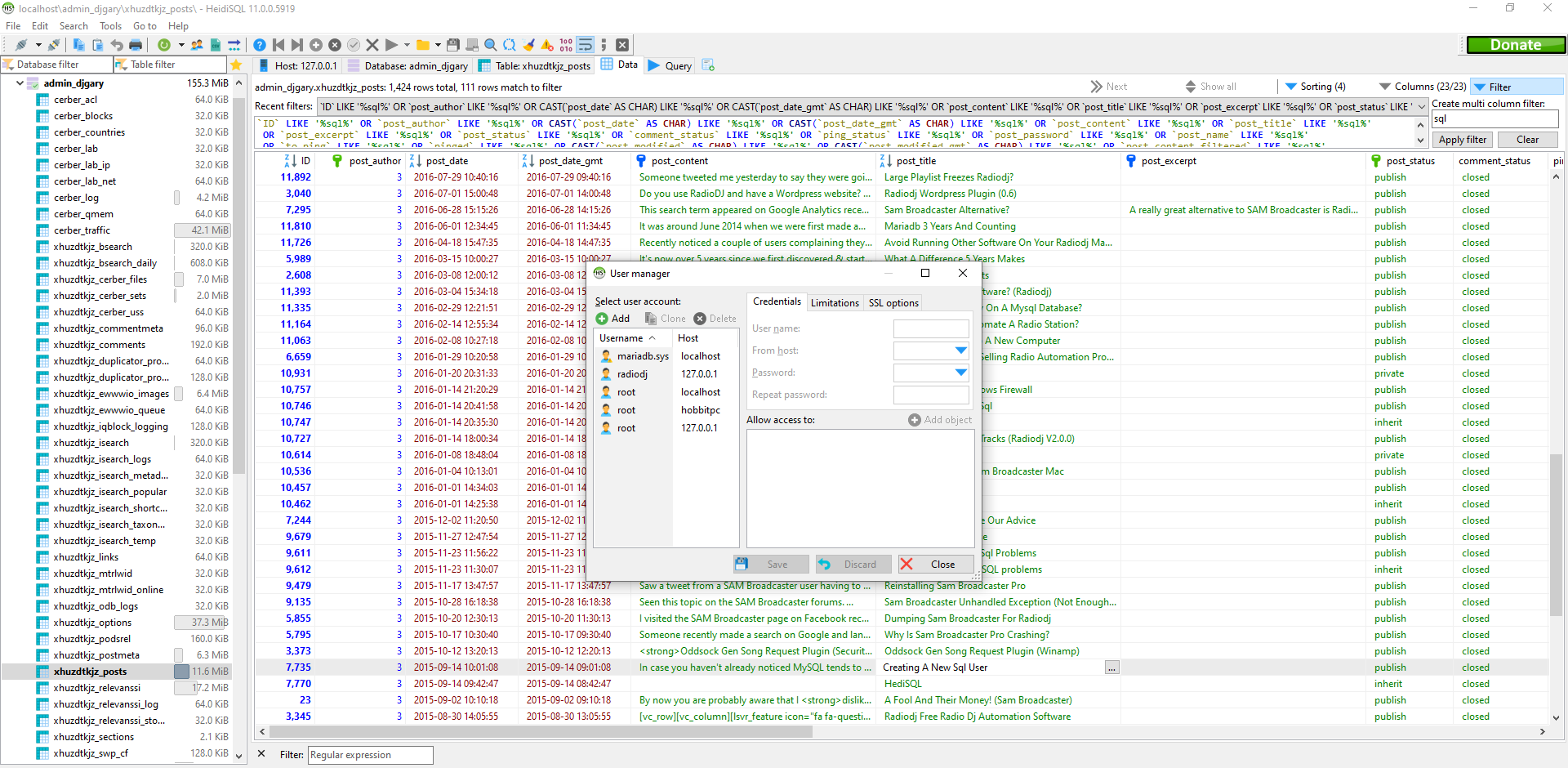
In case you haven't already noticed MySQL tends to allow some pretty insecure permissions by default, allowing root access from any computer. This is a big problem, especially if you have port forwarding configured on your router to your MySQL instance. However you can easily create new users using any management interface, so we'll do it with HeidiSQL 1) Launch HeidiSQL and sign in as root. 2) Select Tools>User Manager. First of all, we'll remove root access for remote hosts. There will be several accounts listed for root, from various locations. Select the root account that has just a % sign in the host column. This allows root access from any location, including on the internet and isn't recommended. On the right hand side, select the drop down and pick the local network that matches your LAN IP range (e.g. 192.168.%) This makes sure that when you're on your local network, you can still log in as root. Click save. Next we'll add a new r...